

How to Unsend an iMessage After It Was Sent
How to Unsend an iMessage After It Was Sent Read More »

We often want to share photos on our iPhone with friends. The photo can be posted to social media, but there are times when you may want to send it by text or email. A photo can be sent directly from the Messages or Mail app, or it can be sent from within the Photos
How to Share Photos from the iPhone Read More »

We all know we shouldn’t text while driving. With iOS 11, Apple introduced a new capability that can automatically enable the Do Not Disturb feature while you are driving. This would prevent your iPhone from displaying notifications (including text notifications) while you are driving unless you tell the iPhone you are not the person driving.
How to Disable Do Not Disturb While Driving Read More »

With iOS 10, iMessage gained many new features. One such feature is the ability to use apps from within iMessage. This allows you to download an app, such as a game, and play against someone else by sending messages. If the thought of apps in messages sounds confusing, don’t worry. It’s not as complicated as
How to Play a Game with Friends Using iMessage Read More »

The Messages app in iOS 10 includes bubble effects and screen effects that allow to add a little something extra to your iMessages. Bubble effects provide some animation to the message bubble when the recipient opens the message. Screen effects add animated background images to your iMessages. In this article, we will discuss sending iMessages
How to Send an iMessage with Bubble Effects Read More »
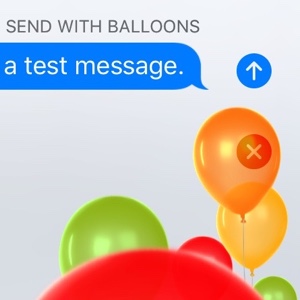
You may have seen the commercials or someone may have sent you an iMessage that looked a little different. The Messages app in iOS 10 includes screen effects that allow to add animated background images to your iMessages. To use screen effects, you need to be using iOS 10 and sending an iMessage to another
How to Send Screen Effects in an iMessage Read More »
Many people with a Mac computer want to send and receive text messages from their Mac. Most modern OS X versions allow the Mac to use iMessage. However, to send and receive SMS text messages, the Mac needs to be using at least OS X Yosemite 10.10 and you need an iPhone using at least
How to Receive Messages on Your Mac Read More »
There are several scenarios that can cause messages not to be delivered. This article addresses two such issues. 1. You turned off iMessage with the intent of receiving all messages as SMS text messages and now you are not receiving messages from iPhone users. 2. You have recently switched from an iPhone to some other
Why Am I Not Receiving Text Messages From iPhone Users? Read More »
The Messages app in does not display timestamps for each individual text message or iMessage. It simply provides a timestamp at the beginning of each new conversation. If you ever need to go back and see when a particular message was sent or received, there is a simple way to see the timestamp of a
How to View a Text Message Timestamp on the iPhone Read More »
The iPhone Messages app will display text messages with either a green background or a blue background. These colors are not random, and are actually telling you whether the message was sent as a regular SMS text message or an iMessage.
Why Are Some iPhone Messages Green and Others Are Blue? Read More »