How to Play a Radio Station on Your iPhone with Siri
How to Play a Radio Station on Your iPhone with Siri Read More »

Providing simple, straightforward answers to you iPhone and iPad questions.

It’s easy to use your iPhone to quickly scan a document. Scanning with an iPhone is more than simply taking a picture of a document. If you scan using the Files app, the scanned image will only capture the document (with no background) and the size will be adjusted to eliminate any issues due to
How to Scan a Document Using the iPhone Files App Read More »

If you can’t read small text like you used to, don’t worry. You’re not alone. You also don’t need to struggle to read the small text on your iPhone. Here’s how you can make the text size larger. The iPhone and iPad have a feature called Dynamic Type, which allows you to adjust the default
How to Make Text Size Larger on the iPhone Read More »
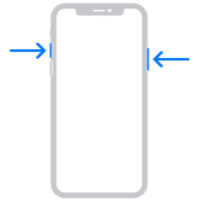
Tap Full Page near the top of the window. Then tap Done. You’ll be given options to save or delete the screenshot. The full page screenshot is saved as a PDF file in the Files app on the iPhone.
How to Screenshot an Entire Web Page on the iPhone Read More »

We all have websites that we visit frequently. Typically, we would bookmark these sites so we can access them without typing in the web address every time. However, you can quickly and easily access your favorite websites by adding a website icon directly on the iPhone or iPad Home screen. If a frequently used website
How to Add a Website Icon to Your Home Screen Read More »
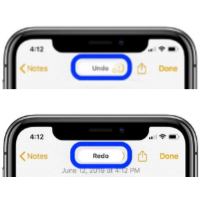
When typing on your iPhone, there are often times you want to undo something you just typed or changed. There is a three-finger swipe or tap gesture that can be used to undo or redo text editing instead of the Shake to Undo feature. To demonstrate this feature, we will use the following sample text.
How to Undo Typing on the iPhone Read More »