
When Should You Upgrade Your iPhone to iOS 15?
When Should You Upgrade Your iPhone to iOS 15? Read More »

Providing simple, straightforward answers to you iPhone and iPad questions.
We all receive an ever increasing number of calls from telemarketers and scammers. Luckily there is an easy way to ignore calls from unknown numbers. The Silence Unknown Callers feature on the iPhone will check the number of an incoming call to see if you have that person in your Contacts, have texted them, or
How to Silence Calls from Unknown Callers Read More »

We all have websites that we visit frequently. Typically, we would bookmark these sites so we can access them without typing in the web address every time. However, you can quickly and easily access your favorite websites by adding a website icon directly on the iPhone or iPad Home screen. If a frequently used website
How to Add a Website Icon to Your Home Screen Read More »
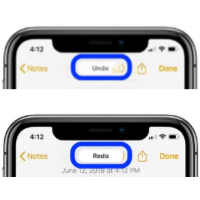
When typing on your iPhone, there are often times you want to undo something you just typed or changed. There is a three-finger swipe or tap gesture that can be used to undo or redo text editing instead of the Shake to Undo feature. To demonstrate this feature, we will use the following sample text.
How to Undo Typing on the iPhone Read More »
This should help you remember to return the call.
How to Skip Calls on Your iPhone and Automatically Set a Reminder to Call Back Read More »

It’s easy to create a personalized voicemail greeting to let people know they reached the right person. People are more likely to leave a voicemail message when they hear your voice instead of a generic default voicemail greeting. Record a Voicemail Greeting Here’s how to create a custom voicemail greeting on the iPhone. Open the
How to Record a Voicemail Greeting on the iPhone Read More »